Quick Answer
The best offline LLM in 2026 for most users is Qwen3 30B running on a Mac Mini M4 Pro with 48GB RAM. It delivers near-GPT-4-level performance at zero ongoing cost, handles coding, creative writing, and multilingual tasks, and generates 20-30 tokens per second thanks to the M4 Pro's 273 GB/s memory bandwidth. For budget setups, Qwen3 14B on a 24GB Mac Mini M4 at £999 ($1,279) is the most cost-effective entry point.
Why I'm Writing This
A few months ago I found myself staring at an API bill that had quietly crept up to a number I wasn't comfortable with. I run a digital marketing and AI technology business, and we'd been routing a lot of client work through cloud LLM APIs. The quality was good. The control was not.
Client data passing through third-party servers. Rate limits hitting at the worst possible moments. Pricing that could change with a single blog post from a provider. I'd been watching the open-source model scene for a while, but I kept telling myself it wasn't ready for professional use.
Then I actually tested it seriously.
Rather than rely on forum opinions or benchmark marketing, I used a dedicated AI research tool to compile real-world performance data, current UK hardware pricing, and honest capability assessments across the models worth considering in 2026. This article is the result of that research.
Here's what I'll cover:
- The top offline LLM models in 2026 ranked by use case
- Detailed hardware requirements and RAM breakdown by model size
- Every Mac Mini M4 configuration mapped to which models it can actually run
- Verified UK pricing from the Apple store
- Step-by-step setup guide using Ollama
- Honest cost comparison: offline vs API over three years
- FAQ covering the most common questions
What Is an Offline LLM and Why Does It Matter in 2026?
An offline LLM, also called a local LLM, is a large language model that runs entirely on your own hardware without an internet connection or cloud API. The model weights are downloaded once and stored locally. All inference happens on your machine, with no data sent to external servers.
The best offline LLM setups in 2026 benefit from three years of rapid progress in model efficiency. Quantization techniques now allow 30-billion parameter models to run on consumer hardware that would have required a data center just two years ago. Apple's M4 Pro chip with unified memory architecture has made the Mac Mini one of the most capable local inference machines available at any price point.
The reasons people choose offline LLMs come down to three things. Privacy: sensitive business data, legal documents, or client information never leaves your machine. Cost: a one-time hardware purchase replaces perpetual API subscriptions that compound significantly over time. Reliability: no rate limits, no outages, no internet dependency.
I can speak to all three of these from direct experience. The privacy argument alone was enough to make me take this seriously.
The Top Offline LLM Models in 2026
Best for Coding
Qwen3-Coder 30B is Alibaba's latest coding-specific model and the strongest offline option for software development in 2026. It handles agentic coding workflows, complex multi-file refactoring, and tool use with accuracy that rivals GPT-4o on most standard benchmarks. If you're running an AI coding assistant locally, this is where to start.
Qwen2.5-Coder 32B remains highly competitive. It's exceptionally strong at code generation, debugging, and reasoning through complex logic problems.
DeepSeek-R1 32B brings genuine chain-of-thought reasoning to offline use. While not exclusively a coding model, its reasoning capabilities translate directly into better code quality on complex problems.
GPT-OSS 20B is OpenAI's open-weight model release, supporting tool use and thinking modes. Community experience is still building given how recently it launched, but early results are promising.
Best for General Chat and Assistance
Qwen3 30B MoE offers the best price-to-performance ratio for general use among all current offline models. The Mixture of Experts architecture activates only a subset of parameters per inference, making it faster than its total parameter count suggests.
Gemma 3 27B is Google's latest single-GPU-capable model with vision support built in. It fits on a single Mac Mini configuration and handles multimodal tasks that most other offline models can't touch.
Llama 3.3 70B is Meta's flagship open model and the ceiling of what a Mac Mini can run. At 70 billion parameters it approaches the quality of the 405B version while remaining feasible on 48-64GB RAM configurations.
DeepSeek-R1 32B deserves mention here too as a powerful general reasoning model, though it's optimized primarily for Chinese and English.
Best for Multilingual Use
The Qwen family leads here by a significant margin. Qwen3 was trained on 18 trillion tokens with strong multilingual representation across dozens of languages. Qwen3 30B and 14B are the clear choices if you need reliable non-English output.
Llama 3.3 70B performs reasonably well in multiple languages at its size. Gemma 3 27B has improved multilingual capabilities compared to earlier Google models. DeepSeek-R1 handles some non-English languages but is optimized primarily for Chinese and English.
One thing I want to be direct about: 7-8B models struggle meaningfully with non-English languages. You need at least 14B parameters for acceptable output quality, and 30B or above for genuinely good results.
Best for Creative Writing and Marketing
Llama 3.3 70B produces the strongest creative text at larger sizes. The additional parameters translate directly into more nuanced language, better narrative structure, and more varied vocabulary.
Qwen3 30B balances creativity and factual accuracy well, which makes it useful for marketing copy that needs to be both compelling and precise.
Gemma 3 27B generates natural-sounding prose. It's a strong choice for content work where tone matters.
Mistral Nemo 12B punches above its weight for creative tasks given its small footprint. If RAM is the constraint, it delivers surprisingly good marketing copy for a 12B model.
Model Comparison Table
| Model | Sizes Available | Key Strength | Key Weakness |
|---|---|---|---|
| Llama 3.3 | 70B | Best open 70B, strong general | Needs a lot of RAM |
| Llama 3.2 | 1B, 3B | Ultra-lightweight, fast | Very limited capabilities |
| Llama 3.1 | 8B, 70B, 405B | Tool use, 128K context | 405B not feasible at home |
| Qwen3 | 0.6B-235B MoE | Best multilingual, thinking mode | MoE means larger file size |
| Qwen2.5-Coder | 0.5B-32B | Best offline coding model | Optimized for code only |
| DeepSeek-R1 | 1.5B-671B | Reasoning, O3-level quality | 671B not feasible at home, Chinese bias |
| Gemma 3 | 1B-27B | Vision support, Google quality | Max 27B size |
| Phi-4 | 14B | Surprisingly capable for its size | Small context window |
| Mistral Nemo | 12B | 128K context, fast | Not the strongest overall |
| GPT-OSS | 20B, 120B | OpenAI open model, tools + thinking | New, limited community data |
Hardware Requirements: How Much RAM Do You Actually Need?
This is where most guides get vague. Here are the concrete numbers.
RAM Requirements by Model Size
| Model Size | Q4_K_M | Q5_K_M | Q8_0 | FP16 Full |
|---|---|---|---|---|
| 7-8B | ~5 GB | ~6 GB | ~8 GB | ~16 GB |
| 12-14B | ~8 GB | ~10 GB | ~14 GB | ~28 GB |
| 27-32B | ~18 GB | ~22 GB | ~32 GB | ~64 GB |
| 70B | ~40 GB | ~48 GB | ~70 GB | ~140 GB |
These figures represent model weight size only. Add 2-4 GB for the context window, plus 4-6 GB for macOS itself. A 70B Q4 model needs roughly 40 + 5 + 5 = 50 GB minimum, which is why the 48GB Mac Mini M4 Pro runs it tightly with limited context headroom.
Quantization: What Quality Are You Actually Getting?
| Quantization | Quality Loss | Size vs FP16 | Recommendation |
|---|---|---|---|
| Q8_0 | Nearly imperceptible, ~0.5% | ~50% smaller | Use when RAM allows |
| Q5_K_M | Minimal, ~1-2% | ~35% smaller | Good all-round choice |
| Q4_K_M | Noticeable on complex tasks, ~3-5% | ~25% smaller | Best when RAM is tight |
| Q3_K | Significant degradation | ~20% smaller | Last resort only |
The rule of thumb that I've found consistently true: a larger model at Q4 beats a smaller model at Q8. Qwen3 30B Q4 outperforms Qwen3 14B Q8 on virtually every benchmark. Always go bigger at lower precision over smaller at higher precision.
Memory Bandwidth: The Factor Nobody Talks About Enough
On Apple Silicon, the real bottleneck for LLM inference isn't compute, it's memory bandwidth. This is why the M4 Pro is dramatically faster than the base M4 for this workload.
The M4 has 120 GB/s memory bandwidth. The M4 Pro has 273 GB/s, which is 2.3 times faster. This difference translates directly into token generation speed. A 30B model on the M4 Pro generates tokens 2.3 times faster than on the base M4 with the same amount of RAM. For anyone using this seriously day-to-day, the speed difference is impossible to ignore.
Mac Mini Configurations: What Can Each One Actually Run?
Important Correction on the M4 Pro 48GB
Before getting into configurations, something worth clarifying: the Mac Mini M4 Pro 48GB model comes with a 14-core CPU and 20-core GPU, and is only available with 1TB SSD as its base storage. There is no 48GB option with 512GB storage. This is different from the M4 Pro 24GB model, which starts at 512GB. The Apple specs page confirms this.
Mac Mini M4 Base Configurations (120 GB/s bandwidth)
16GB RAM - This configuration runs 7-8B models comfortably at Q4 or Q5. Good options include Qwen3 8B, Llama 3.1 8B, and Gemma 3 4B. 14B models are extremely tight and will likely cause disk swapping, which destroys performance. Not recommended for serious work.
24GB RAM - The minimum I'd recommend for anyone planning to use this productively. Runs 14B models at Q5 comfortably and manages 27B models at Q4 with limited headroom. Suitable for Qwen3 14B, Gemma 3 12B, Phi-4 14B.
32GB RAM - Handles 27B models at Q4 or Q5 comfortably and 32B models at Q4 with some tightness. This gives you access to Qwen3 30B and Gemma 3 27B, which are meaningfully better than 14B models. The 120 GB/s bandwidth is still the limiting factor on generation speed.
Mac Mini M4 Pro Configurations (273 GB/s bandwidth)
24GB RAM - The entry point for M4 Pro. The bandwidth advantage over the base M4 is significant even at this RAM size. Runs 14B models noticeably faster than the base M4. A reasonable choice if budget is the main constraint but you want the speed improvement.
48GB RAM - This is the configuration I'd buy. The 48GB RAM combined with the M4 Pro's 273 GB/s memory bandwidth creates a genuinely impressive local inference machine. You can run Qwen3 30B at Q5, Gemma 3 27B at Q5, DeepSeek-R1 32B at Q5, and Llama 3.3 70B at Q4 with limited context headroom. Token generation of 20-30 tokens per second on 30B models makes conversations feel genuinely responsive.
64GB RAM - The no-compromise option. Runs 70B models at Q5 comfortably, supports Qwen3 30B at Q8 for near-original quality, and handles parallel model execution for multi-agent setups. This is the ceiling of Mac Mini capability.
UK Hardware Pricing: Verified from Apple Store (February 2026)
These are the actual RRP prices from the Apple UK store. Always verify current pricing at apple.com/uk/shop/buy-mac/mac-mini before purchasing.
| Configuration | Chip | RAM | SSD | UK RRP | USD Equivalent |
|---|---|---|---|---|---|
| Base | M4 | 16GB | 256GB | £599 ($767) | - |
| Base | M4 | 16GB | 512GB | £799 ($1,023) | - |
| Recommended entry | M4 | 24GB | 512GB | £999 ($1,279) | - |
| Upper base | M4 | 32GB | 512GB | ~£1,199 ($1,535)* | - |
| M4 Pro entry | M4 Pro | 24GB | 512GB | £1,399 ($1,791) | - |
| Sweet spot | M4 Pro | 48GB | 1TB | ~£1,799 ($2,303)* | - |
| Pro max | M4 Pro | 64GB | 1TB | ~£2,199 ($2,815)* | - |
*Prices marked with asterisk are configured options - verify exact pricing using the Apple configurator. The M4 Pro 48GB model requires a minimum of 1TB SSD and is available as a configure-to-order option on the 24GB base M4 Pro model (£1,399 starting price).
Apple Refurbished Store is worth checking: the M4 Pro 24GB 512GB refurbished unit has been available at £1,189, saving £210 off RRP. Refurbished Macs come with a one-year warranty and are certified by Apple.
Three Recommended Configurations
Budget Setup - "Usable Minimum"
Mac Mini M4, 24GB RAM, 512GB SSD at £999 ($1,279). Runs Qwen3 14B Q4, Gemma 3 12B Q5, Phi-4 14B Q4. Adequate for basic coding assistance, chat, and straightforward tasks. Non-English language support is acceptable at 14B. Good starting point if you want to try local AI without overcommitting.
Sweet Spot - "Best Value" (Recommended)
Mac Mini M4 Pro, 48GB RAM, 1TB SSD at approximately £1,799 ($2,303). Runs Qwen3 30B Q5, Gemma 3 27B Q5, DeepSeek-R1 32B Q5, Llama 3.3 70B Q4. Professional-grade coding, creative writing, and multilingual tasks. The 2.3x bandwidth advantage over the base M4 makes a real difference in day-to-day use. This is the machine I'd buy.
Pro Setup - "No Compromise"
Mac Mini M4 Pro, 64GB RAM, 1TB SSD at approximately £2,199 ($2,815). Runs 70B models at Q5 comfortably, supports parallel model execution, and handles the most demanding multi-agent workloads. Maximum offline LLM capability in a Mac Mini form factor.
The Best Offline LLM Software Stack in 2026
Ollama - Start Here
Ollama is the easiest path to running local models on a Mac. It provides a CLI interface, automatic GPU offloading via Metal on Apple Silicon, and an OpenAI-compatible API that lets you drop it into any application expecting OpenAI's format.
Installation: brew install ollama
Running a model: ollama run qwen3:30b
Ollama handles model downloads, quantization selection, and memory management automatically. The OpenAI-compatible endpoint means existing applications can connect to your local instance by just changing the API base URL. Tools like OpenClaw, Continue.dev, and Aider all support this.
LM Studio - Best for Visual Users
LM Studio provides a graphical interface for downloading and running models. It includes a built-in chat interface and server mode exposing an OpenAI-compatible API. For anyone who finds the command line unfriendly, this is the most accessible entry point to local AI.
llama.cpp - For Power Users
llama.cpp is the underlying inference engine that both Ollama and LM Studio build on. Running it directly gives you maximum control over inference parameters and performance optimizations. Recommended for developers who want to squeeze every last token of performance from their hardware.
Recommended Supporting Tools
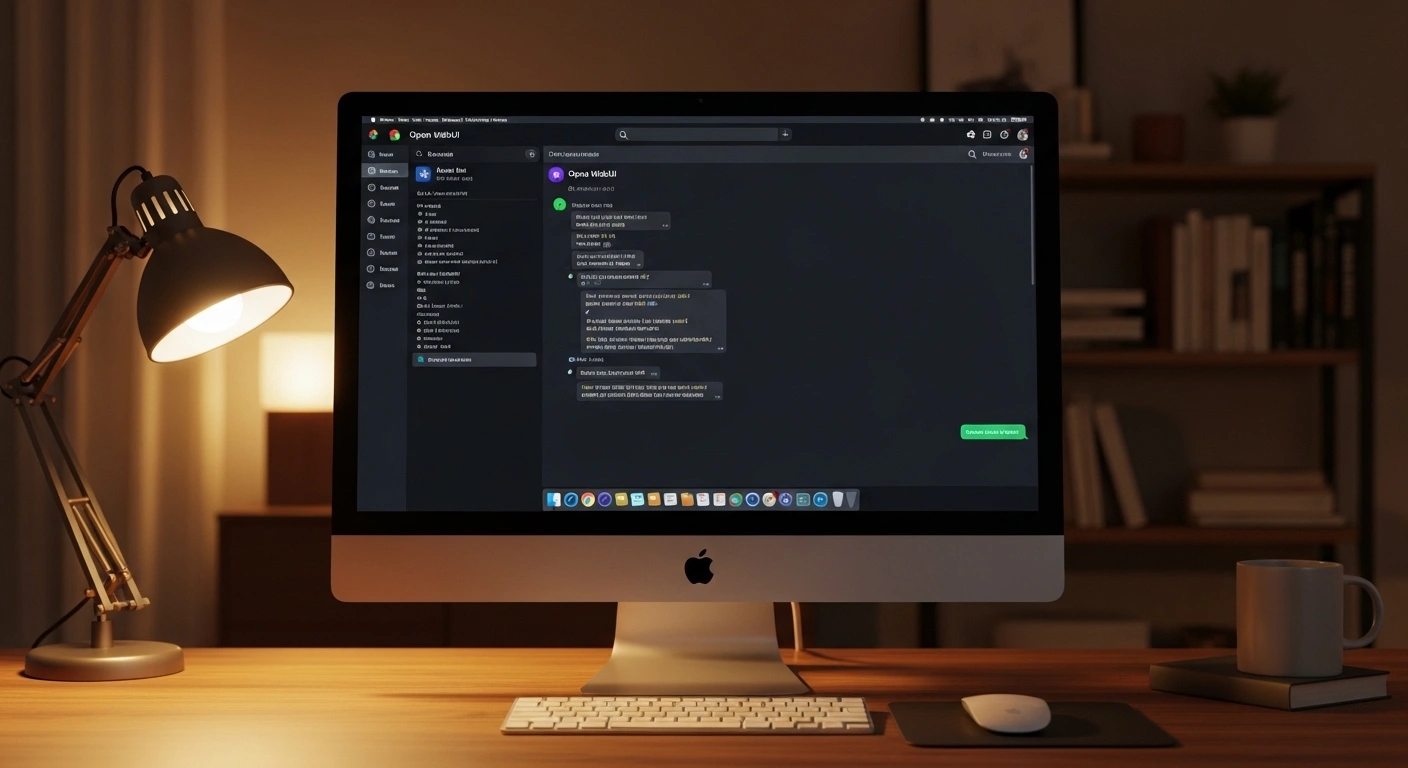
Open WebUI gives you a self-hosted ChatGPT-style interface for Ollama with conversation history, system prompts, and multi-model support. This is the easiest way to give non-technical team members access to your local models without exposing a command line.
Continue.dev is a VS Code extension integrating local Ollama models into your code editor. Combined with Qwen2.5-Coder or Qwen3-Coder, it creates a fully offline coding assistant that never sends your code to anyone.
Aider is a terminal-based AI coding tool that works with Ollama. It handles multi-file editing, test running, and git commits driven by local model instructions.
Jan.ai is a privacy-focused desktop application for local models, suitable for users who want a clean interface without any server setup overhead.
Pros and Cons: Offline vs Cloud APIs
| Advantage | Disadvantage |
|---|---|
| Complete data privacy, nothing leaves your machine | High upfront hardware cost |
| No ongoing API subscription costs | Open-source models trail top closed APIs |
| Works without internet connection | Limited scalability beyond single machine |
| No rate limits or usage quotas | Hardware eventually becomes obsolete |
| One-time cost amortizes over 5+ years | Requires initial technical setup |
| Full control over model selection | No automatic model improvements |
| UK electricity cost negligible, £36-85/year | Physical space and power requirements |
| Run multiple models for different tasks | 70B models slow on base M4 configs |
Step-by-Step Setup: Running Qwen3 30B on Mac Mini M4 Pro
Step 1: Install Homebrew
Open Terminal and install Homebrew from brew.sh. This is the package manager used to install Ollama cleanly on macOS.
Step 2: Install Ollama
Run brew install ollama in Terminal. Verify installation with ollama --version.
Step 3: Start the Ollama Service
Run ollama serve to start the background service. Configure it to start automatically on login via macOS launch agents if you want 24/7 availability.
Step 4: Download Qwen3 30B
Run ollama pull qwen3:30b to download the model. Approximately 18GB for the Q4 version. Ollama selects the appropriate quantization for your hardware automatically.
Step 5: Run a Test Query
Run ollama run qwen3:30b to open an interactive chat session. You should see 20-30 tokens per second on the M4 Pro 48GB.
Step 6: Configure the API Endpoint
Ollama's API is available at http://localhost:11434/v1 in OpenAI-compatible format. Point any OpenAI-compatible application to this endpoint with model name qwen3:30b and any string as the API key.
Step 7: Install Open WebUI (Optional)
Run docker run -d -p 3000:8080 --add-host=host.docker.internal:host-gateway ghcr.io/open-webui/open-webui:main to get a ChatGPT-style interface at http://localhost:3000.
Model-to-Configuration Pairing Guide
| Config | Coding | General Chat | Creative Writing |
|---|---|---|---|
| M4 24GB | Qwen2.5-Coder 14B Q4 | Qwen3 14B Q4 | Gemma 3 12B Q5 |
| M4 32GB | Qwen3-Coder 30B Q4 | Qwen3 30B Q4 | Gemma 3 27B Q4 |
| M4 Pro 48GB | Qwen3-Coder 30B Q5 | Qwen3 30B Q5 | Gemma 3 27B Q5 |
| M4 Pro 64GB | Qwen2.5-Coder 32B Q8 | Llama 3.3 70B Q4 | Llama 3.3 70B Q4 |
Cost Analysis: Offline vs API Over 3 Years
The long-term cost case for local LLMs is stronger than most people expect. UK electricity for a Mac Mini M4 Pro running 24/7 at 27.69 pence per kWh (Ofgem price cap Q1 2026) comes to approximately £85 per year. This is genuinely negligible.
| Solution | Year 1 Cost | Year 3 Total | Year 5 Total |
|---|---|---|---|
| Mac Mini M4 Pro 48GB + electricity | £1,884 ($2,412) | £2,054 ($2,629) | £2,224 ($2,847) |
| Mac Mini M4 24GB + electricity | £1,084 ($1,388) | £1,254 ($1,605) | £1,424 ($1,823) |
| Claude Haiku 4.5 API, moderate use | £480 ($614) | £1,440 ($1,843) | £2,400 ($3,072) |
| GPT-4o-mini API, moderate use | £360 ($461) | £1,080 ($1,382) | £1,800 ($2,304) |
| Claude Sonnet 4.5 API, moderate use | £2,400 ($3,072) | £7,200 ($9,216) | £12,000 ($15,360) |
The Mac Mini M4 24GB at £1,084 in year one becomes cheaper than GPT-4o-mini by year three and cheaper than Claude Haiku by year two to three for moderate use. By year five, the hardware cost is fully amortized and you're paying only £85 per year in electricity.
The Mac Mini M4 Pro 48GB at £1,884 in year one crosses the Claude Haiku cost line at year four, but the quality comparison is genuinely different. A 70B model running locally competes with the best cloud APIs. Claude Sonnet 4.5 at £2,400 per year is a different proposition entirely over a 5-year horizon.
Frequently Asked Questions
What is the best offline LLM for a Mac Mini in 2026?
For the M4 Pro 48GB, Qwen3 30B is the best offline LLM for general use. It offers the strongest combination of reasoning, multilingual support, and creative capability at a size that runs comfortably on 48GB RAM. For coding specifically, Qwen3-Coder 30B or Qwen2.5-Coder 32B are the top choices.
Can I run a 70B model on a Mac Mini?
Yes, but only on the M4 Pro with 48GB or 64GB RAM. The 48GB configuration runs Llama 3.3 70B at Q4 with limited context headroom. The 64GB configuration runs it comfortably at Q4 and tightly at Q5. No base M4 configuration can run 70B models regardless of RAM amount, due to memory bandwidth constraints.
How fast is local LLM inference on a Mac Mini M4 Pro?
On the M4 Pro 48GB, Qwen3 30B generates approximately 20-30 tokens per second. Llama 3.3 70B generates approximately 5-8 tokens per second. The M4 Pro's 273 GB/s memory bandwidth is 2.3 times faster than the base M4's 120 GB/s, and this difference is the primary driver of inference speed.
Do offline LLMs work without an internet connection?
Yes, completely. Once the model weights are downloaded, inference is entirely local. No internet connection is required. This is one of the primary advantages for privacy-sensitive professional use.
Is the quality of offline models comparable to ChatGPT or Claude?
It depends on the model size. 7-8B models are noticeably weaker than GPT-4o or Claude Sonnet. 30B models are competitive with GPT-4o-mini on most tasks. 70B models approach the quality of top-tier commercial APIs on many benchmarks. For professional use, a well-configured 30B or 70B setup is genuinely impressive.
My Recommendation
If you're buying a single machine for the best offline LLM experience in 2026, get the Mac Mini M4 Pro, 48GB RAM, 1TB SSD at approximately £1,799 ($2,303).
Run Qwen3 30B via Ollama. Add Open WebUI for a browser-based interface. Add Continue.dev if you use VS Code for coding. The entire setup takes under two hours.
What you get is professional-grade AI capability running entirely on your hardware, at zero ongoing cost, with complete data privacy, and a machine that will remain capable for years as open-source model quality continues to improve.
I started this research because I was tired of being dependent on services I couldn't control. Having run a 30B model locally for several months now, I can say the gap between local and cloud quality is smaller than most people expect, and the gap in cost and privacy control is larger than most people realise.
If the £1,799 feels like a lot, the Mac Mini M4 with 24GB at £999 is a legitimate starting point. Run Qwen3 14B, see what local AI actually feels like in practice, and make the larger investment with confidence. Avoid the 16GB base model. It's cheap enough to be tempting and limited enough to be frustrating.
Join the Discussion
I run Trendfingers, a digital marketing agency specialising in AI technologies and server-side solutions. While this analysis is based on thorough research, real-world experiences from people running these setups in production are genuinely valuable.
If you've found a better model-hardware pairing, have cost data from your own deployment, or simply disagree with any of my conclusions, the best place to share is in the original Reddit discussion where this topic started:
Share your experience: https://www.reddit.com/r/clawdbot/comments/1r5fz76/from_a_cost_perspective_which_route_makes_the/
The community benefits from practical experience that goes beyond research and benchmarks.
Sources
- Alibaba Cloud. (2025). Qwen3 technical report and model documentation. https://huggingface.co/Qwen/Qwen3-30B
- Apple Inc. (2026). Mac mini technical specifications. https://www.apple.com/mac-mini/specs/
- Apple Inc. (2026). Buy Mac mini - Apple UK. https://www.apple.com/uk/shop/buy-mac/mac-mini
- Google DeepMind. (2025). Gemma 3 technical report and model card. https://ai.google.dev/gemma/docs/core
- House of Commons Library. (2026). Gas and electricity prices during the energy crisis and beyond. https://commonslibrary.parliament.uk/research-briefings/cbp-9714/
- Macworld. (2026). Best Mac mini deals and discounts - Save on M4 and M4 Pro models. https://www.macworld.com/article/673695/best-mac-mini-deals.html
- Meta AI. (2025). Llama 3 model card and technical overview. https://ai.meta.com/llama/
- Mistral AI. (2025). Mistral Nemo model documentation. https://mistral.ai/news/mistral-nemo/
- Ofgem. (2026). Changes to energy price cap between 1 January and 31 March 2026. https://www.ofgem.gov.uk/news/changes-energy-price-cap-between-1-january-and-31-march-2026
- Ollama. (2026). Ollama model library and documentation. https://ollama.com
- Open WebUI. (2026). Open WebUI documentation. https://docs.openwebui.com
- Patzelt, M. (2026). Best Mac Mini for AI in 2026: Local LLMs and agents. https://www.marc0.dev/en/blog/best-mac-mini-for-ai-2026-local-llm-agent-setup-guide-1770718504817
- Singh, A. (2025). Local LLM speed: Qwen2 and Llama 3.1 real benchmark results. https://singhajit.com/llm-inference-speed-comparison/
About the Author & Discussion
I run Trendfingers, a digital marketing agency specialising in AI technologies and server-side tracking solutions. While I've conducted this analysis based on extensive research, I recognize that real-world experiences from people running these setups in production are genuinely valuable.
I welcome alternative perspectives and real-world experiences. If you have insights, cost data from your own deployment, or disagree with any of my conclusions, I'd love to hear from you. The best place to share feedback and discuss different approaches is in the original Reddit thread where this analysis was born:
Join the discussion: https://www.reddit.com/r/clawdbot/comments/1r5fz76/from_a_cost_perspective_which_route_makes_the/
Your practical experiences can help refine these recommendations for the entire community. Whether you've found cheaper hardware alternatives, discovered better model-hardware pairings, or have insights on scaling local inference, the community benefits from shared knowledge.