OpenClaw AI Cost Analysis: Which Deployment Path Saves You the Most Money?
Discover openclaw ai cost analysis: which deployment path saves you the most money? - expert insights and actionable strategies from Trendfingers. Learn abou...
Back to Signals
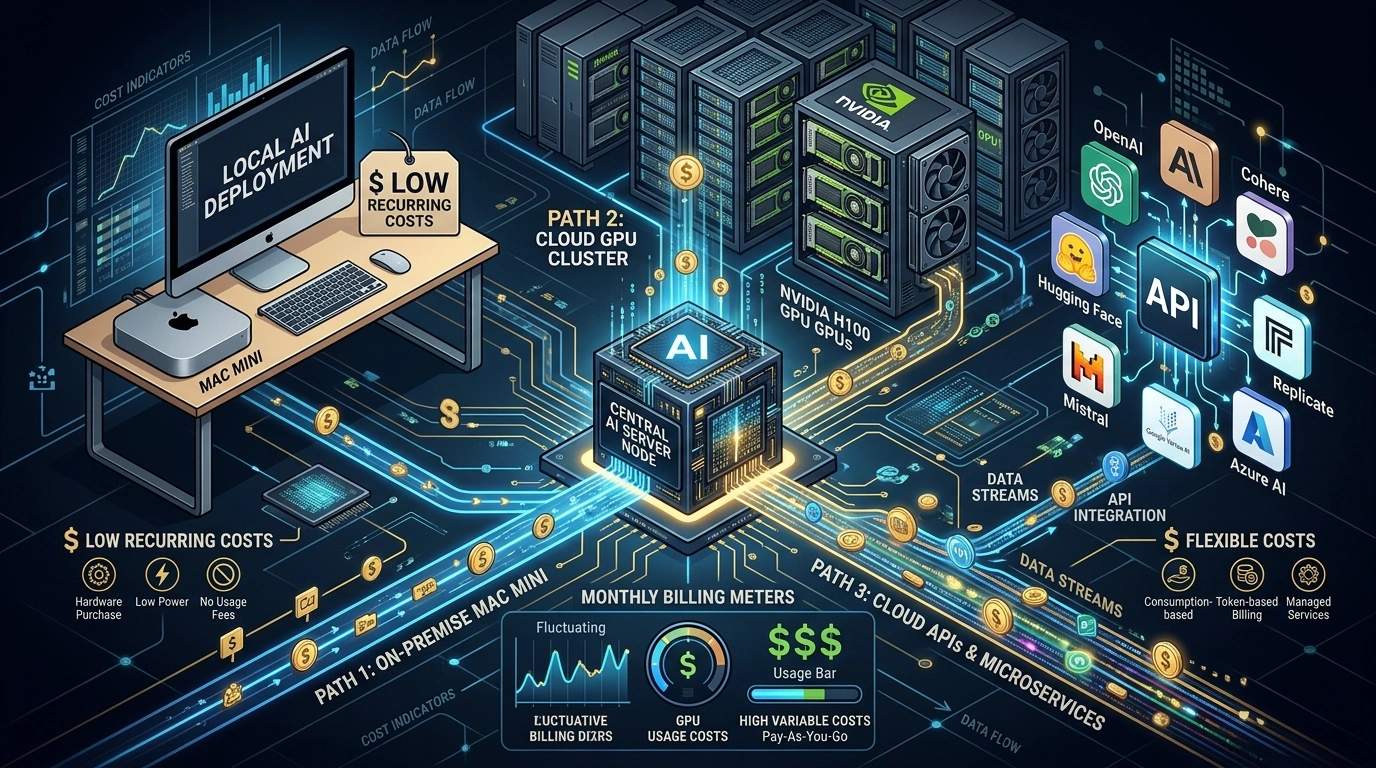
Choosing the wrong AI deployment model can cost thousands. This in-depth analysis breaks down the real three-year total cost of ownership for OpenClaw across local Mac Mini infrastructure, cloud GPU servers, and API-based solutions - with hard numbers, scalability thresholds, and a clear recommendation for every budget and use case.
OpenClaw AI Cost Analysis: Quick Answer
The API-based solution is the most cost-effective for 100 requests/day, costing just £221-314 ($283-402) annually with Hetzner CX23 hosting plus Gemini Flash or DeepSeek APIs. However, the Mac Mini M4 Pro 48GB becomes cheaper over 3 years at £1,803 ($2,308) total, offering complete data sovereignty and API independence while running 70B models locally with cloud-equivalent quality.
Why I Conducted This Research
OpenClaw AI has completely captured my attention. As someone who's built digital infrastructure for over 15 years across multiple continents, I've learned that the most expensive mistake you can make is choosing the wrong hosting model. When I started evaluating OpenClaw for production deployment, I quickly realized the cost structure wasn't straightforward.
There are three fundamentally different architectural approaches, each with wildly different economics. Rather than rely on vendor marketing or forum opinions, I used a dedicated research tool to systematically analyze hardware specifications, cloud pricing benchmarks, API costs, and real-world performance data.
This article is based entirely on that structured deep research. It's data-driven, vendor-neutral, and designed to help you make an informed decision based on numbers, not narratives. Here's what I'll cover:
Detailed cost breakdown of local Mac Mini infrastructure with Apple Silicon
Cloud GPU server economics from Hetzner, AWS, and alternative providers
API-based deployment costs across major LLM providers
Three-year Total Cost of Ownership (TCO) comparison
Scalability analysis showing what happens when request volume increases
Clear recommendation based on your priorities: cost, sovereignty, or performance
Let's examine the real numbers behind OpenClaw AI deployment.
Before diving into costs, we need to understand what we're actually deploying. OpenClaw is an open-source, Node.js-based AI agent framework that requires minimal resources for the application itself, roughly 2 vCPUs and 4GB RAM. The real infrastructure challenge isn't running OpenClaw, it's providing the Large Language Model intelligence that powers the agent.
This creates three distinct architectural options:
Local inference on dedicated hardware like Mac Mini with Apple Silicon running models via Ollama. Cloud-hosted self-managed inference on dedicated GPU or high-core CPU servers. API-based inference using third-party LLM providers like Anthropic, OpenAI, or Google.
Each approach separates the cost equation differently. The local solution has high upfront hardware costs but minimal ongoing expenses. The cloud GPU server offers enterprise-grade performance with predictable monthly fees. The API approach minimizes infrastructure investment but creates variable costs tied directly to usage volume.
For this analysis, I'm assuming a workload of 100 requests per day, running 24/7. This represents a typical single-agent deployment, perhaps a customer service bot, research assistant, or internal automation tool. Response latency is acceptable, we're not building a real-time chatbot, but reliability matters.
All prices are shown in British pounds with US dollar equivalents in brackets, using the current exchange rate of £1 = $1.28.
Option 1: Local Mac Mini Infrastructure
Hardware Specifications and UK Pricing
Apple Silicon has emerged as a surprisingly capable platform for local LLM inference. The unified memory architecture allows the M4 and M4 Pro chips to efficiently run models that would typically require dedicated GPU VRAM.
OpenClaw natively supports Ollama integration on macOS, which provides local model serving with minimal configuration overhead. According to the official OpenClaw documentation, the platform works seamlessly with Ollama-served models including Qwen, Llama, and DeepSeek variants.
Here's the hardware configuration ladder with UK pricing:
Configuration
Chip
RAM
Storage
UK Price
Capable Models
M4 Base
M4 (10/10)
16GB
256GB
£479 ($613)
1B-3B models only, insufficient
M4 24GB
M4 (10/10)
24GB
512GB
£799 ($1,023)
7B-8B good, 14B Q4 marginal
M4 32GB
M4 (10/10)
32GB
1TB
£959 ($1,228)
14B Q4 comfortably, 27B tight
M4 Pro 48GB
M4 Pro (12/16)
48GB
1TB
£1,439 ($1,842)
70B Q4 at 5-8 tok/s, cloud-equivalent
M4 Pro 64GB
M4 Pro (14/20)
64GB
1TB
£1,759+ ($2,252)
70B Q6/Q8, multiple models simultaneously
The sweet spot for OpenClaw deployment is either the M4 32GB for budget-conscious setups running 14B models, or the M4 Pro 48GB for those wanting true cloud-equivalent quality with 70B parameter models.
Used hardware alternative: The M2 Pro Mac Mini with 32GB RAM is available on the UK second-hand market for approximately £550-700 ($704-896). It's functional but slower due to reduced memory bandwidth, 100 GB/s compared to the M4 Pro's 273 GB/s.
Model Performance Benchmarks on Apple Silicon
Performance data from real-world Ollama benchmarks shows the following inference speeds using Q4_K_M quantization:
Model
VRAM Size
M4 32GB Speed
M4 Pro 48GB Speed
Agent Task Quality
Llama 3.2 8B
~5GB
~22 tok/s
~30 tok/s
Basic tool-calling, adequate
Qwen 2.5 14B
~8GB
~12-15 tok/s
~18-22 tok/s
Good reasoning and tool-calling
Qwen 2.5 32B
~18GB
~8-10 tok/s
~11 tok/s
Excellent agent performance
Llama 3.3 70B
~42GB
Not possible
~5-8 tok/s
Cloud-equivalent quality
OpenClaw documentation recommends a minimum 64K token context window for agent tasks. The qwen2.5-coder:32b, llama3.3, and deepseek-r1:32b models are explicitly supported and optimized for complex agent workflows involving multiple tool calls and extended reasoning chains.
Operating Costs: UK Electricity Consumption
The Mac Mini M4 averages 10-25W under typical agent workloads, with the M4 Pro consuming 20-35W during active inference. These numbers come from independent power consumption testing by multiple tech reviewers.
Using UK electricity pricing, the average domestic rate is 27.69 pence per kWh (£0.2769/kWh) as of January-March 2026 according to Ofgem's energy price cap:
Scenario
Annual kWh
UK Annual Cost
M4 moderate use, 15W average
131 kWh
£36.28 ($46.44)
M4 Pro intensive, 35W average
307 kWh
£85.01 ($108.81)
The annual electricity cost is essentially negligible, £36-85 per year. This is a critical insight. Unlike cloud infrastructure, the operating cost of local hardware is almost entirely front-loaded into the purchase price. After you buy the Mac Mini, your only recurring cost is electricity, which amounts to less than £7 per month even under heavy use.
Three-Year Total Cost of Ownership
Item
M4 32GB
M4 Pro 48GB
Hardware one-time purchase
£959
£1,439
UPS backup recommended
£100
£100
Year 1 electricity
£36
£85
Year 2 electricity
£36
£85
Year 3 electricity
£36
£85
3-Year TCO
£1,167 ($1,494)
£1,794 ($2,296)
The Mac Mini presents a unique cost profile. Expensive in year one, virtually free thereafter. The hardware typically lasts 5+ years, so the amortized annual cost drops dramatically over time. By year five, your total cost is still just £1,311 for the M4 32GB, averaging £262 per year.
Option 2: Cloud Dedicated Server with Self-Managed LLM
CPU vs GPU: A Surprising Discovery
Conventional wisdom says LLM inference requires GPU acceleration. However, at 100 requests/day, CPU-based inference is viable if response latency isn't critical. A 7B-8B model running on a high-core-count CPU achieves 10-18 tok/s, translating to approximately 50-70 second response times for 500-token outputs.
This is perfectly acceptable for non-interactive agent tasks like research synthesis, content generation, or batch processing workflows. The key advantage? CPU servers cost 40-60% less than equivalent GPU configurations.
Hetzner Dedicated Server Options
Hetzner offers the best price-performance ratio for European deployments, with data centers in Germany and Finland providing low latency to UK users:
Server
Type
CPU/GPU
RAM
Monthly
Capable Model
AX52
CPU-only
Ryzen 7 7700, 8 cores
64GB DDR5
£54.88 ($70.24)
7B Q4 at ~10 tok/s
AX102
CPU-only
Ryzen 9 7950X3D, 16 cores
128GB DDR5
£93.44 ($119.60)
7B-13B Q4 at ~12-18 tok/s
GEX44
GPU
RTX 4000 SFF Ada, 20GB VRAM
64GB DDR4
£157.76 ($201.93)
13B Q5-Q8 at 40-70 tok/s
GEX130
GPU
RTX 6000 Ada, 48GB VRAM
64GB+
£697.04 ($892.21)
70B Q4, overkill for this workload
All Hetzner servers include unlimited bandwidth with 1 Gbit/s uplink and EU-based data centers. The AX102 and GEX44 carry a one-time setup fee of £67.72 ($86.68).
The AX102 represents the best value for CPU-based inference. The Ryzen 9 7950X3D with 16 cores and 128GB DDR5 RAM can comfortably run 13B models with acceptable inference speeds for asynchronous agent tasks.
Competitive Cloud GPU Pricing
For comparison, here are equivalent options from major cloud providers converted to GBP:
Provider
Configuration
GPU/VRAM
Monthly UK Cost
Notes
RunPod Community Cloud
RTX A5000
24GB
£91.73 ($117.41)
Cheap but unreliable for 24/7
Vast.ai Marketplace
RTX A4000
16GB
£57.44 ($73.52)
May terminate unexpectedly
AWS g4dn.xlarge, 3yr reserved
NVIDIA T4
16GB
£135.52 ($173.47)
Stable, 3-year commitment
AWS g5.xlarge, 3yr reserved
NVIDIA A10G
24GB
£278.72 ($356.76)
Premium, 24GB VRAM
Google Cloud g2-standard-4, 3yr
NVIDIA L4
24GB
£240.96 ($308.43)
Similar to AWS pricing
The Hetzner GEX44 at £157.76/month delivers the best price-performance for GPU inference, while the AX102 at £93.44/month is the most cost-effective option if you can tolerate slower CPU-based inference speeds.
Three-Year Total Cost of Ownership for Cloud
Configuration
Monthly
Setup Fee
Year 1
Year 2
Year 3
3-Year TCO
Hetzner AX102 CPU
£93.44
£67.72
£1,189
£1,121
£1,121
£3,431 ($4,392)
Hetzner GEX44 GPU
£157.76
£67.72
£1,961
£1,893
£1,893
£5,747 ($7,356)
Unlike local hardware, cloud costs are purely operational. There's no salvage value, and you're locked into monthly payments as long as the service runs. If you shut down the server, you lose everything invested.
Option 3: API-Based Cloud Solution
Infrastructure Split: Hosting Plus LLM API
This model separates concerns. OpenClaw runs on a minimal VPS while LLM intelligence is outsourced to API providers. The hosting cost is trivial. Hetzner's CX23 VPS with 2 vCPU, 4GB RAM, and 40GB NVMe storage costs just £2.99/month ($3.83) and is more than sufficient for OpenClaw's Node.js application.
The entire cost equation depends on LLM API usage.
Token Usage Estimation for OpenClaw
A typical OpenClaw agent interaction involves approximately 4 steps: system prompt loading, context processing, tool calls, and response generation. This consumes roughly:
40,000 input tokens per request
6,000 output tokens per request
At 100 requests/day, this translates to:
Approximately 120 million input tokens per month
Approximately 18 million output tokens per month
Prompt caching, available on several providers, can reduce input costs by 25-40% by reusing the system prompt across requests. OpenClaw's architecture naturally benefits from this since the agent's system instructions remain constant.
LLM API Pricing Comparison February 2026
All prices converted to British pounds using current exchange rates:
Provider and Model
Input £/M tokens
Output £/M tokens
Monthly API Cost
Quality Rating
DeepSeek V3.2 with cache
£0.01-0.22
£0.33
£17.98 ($23.01)
Excellent value, strong reasoning
Gemini 2.0 Flash
£0.08
£0.32
£15.43 ($19.75)
Adequate for basic tasks
Gemini 2.5 Flash
£0.12
£0.48
£23.14 ($29.62)
Good balance of cost and quality
GPT-4o-mini
£0.12
£0.48
£23.14 ($29.62)
Reliable OpenAI quality
Groq GPT-OSS 120B
£0.12
£0.48
£23.14 ($29.62)
Lightning fast inference
Gemini 3 Flash
£0.40
£2.39
£90.88 ($116.33)
Latest generation capabilities
Claude Haiku 4.5 with cache
£0.08-0.80
£3.99
£111.46 ($142.67)
Anthropic quality, fast
GPT-4o with cache
£0.99-2.00
£7.97
£287.23 ($367.65)
Premium OpenAI model
Claude Sonnet 4.5 with cache
£0.24-2.39
£11.96
£334.32 ($427.93)
Best agent model available
These prices are based on current API pricing from official provider documentation as of February 2026, with prompt caching assumptions factored in where available.
Total Monthly Cost: Hosting Plus API
Combination
Hosting
API
Total Monthly
Annual Cost
Hetzner CX23 + Gemini 2.0 Flash
£2.99
£15.43
£18.42 ($23.58)
£220.99 ($282.87)
Hetzner CX23 + DeepSeek V3.2
£2.99
£17.98
£20.97 ($26.84)
£251.59 ($322.03)
Hetzner CX23 + Gemini 2.5 Flash
£2.99
£23.14
£26.13 ($33.45)
£313.51 ($401.29)
Hetzner CX23 + GPT-4o-mini
£2.99
£23.14
£26.13 ($33.45)
£313.51 ($401.29)
Hetzner CX23 + Claude Haiku 4.5
£2.99
£111.46
£114.45 ($146.49)
£1,373.35 ($1,757.89)
Hetzner CX23 + Claude Sonnet 4.5
£2.99
£334.32
£337.31 ($431.76)
£4,047.67 ($5,181.02)
The cheapest viable configuration using Gemini 2.0 Flash costs just £221 annually, dramatically less than any hardware-based solution in year one. However, this cost recurs every single year with no end date.
Comparative Total Cost of Ownership Analysis
The following table presents total cost of ownership across all three deployment paths over 1-year and 3-year horizons:
Solution
Monthly Cost
Year 1 TCO
Year 3 TCO
Model Quality
API: CX23 + Gemini 2.0 Flash
£18.42
£220.99 ($282.87)
£662.97 ($848.60)
Basic, adequate
API: CX23 + DeepSeek V3.2
£20.97
£251.59 ($322.03)
£754.77 ($966.11)
Strong reasoning
API: CX23 + Gemini 2.5 Flash
£26.13
£313.51 ($401.29)
£940.53 ($1,203.88)
Good balance
API: CX23 + GPT-4o-mini
£26.13
£313.51 ($401.29)
£940.53 ($1,203.88)
Reliable quality
Mac Mini M4 32GB local
£0.86
£1,031.28 ($1,320.04)
£1,167.12 ($1,493.91)
14B models, good
API: CX23 + Claude Haiku 4.5
£114.45
£1,373.35 ($1,757.89)
£4,120.05 ($5,273.66)
Anthropic quality
Cloud: Hetzner AX102 CPU
£93.44
£1,188.98 ($1,521.49)
£3,430.94 ($4,391.60)
7B-13B models
Mac Mini M4 Pro 48GB local
£2.13
£1,516.88 ($1,941.61)**
£1,793.76 ($2,296.01)
70B models, excellent
Cloud: Hetzner GEX44 GPU
£157.76
£1,961.16 ($2,510.28)
£5,747.48 ($7,356.78)
13B+ models, fast
API: CX23 + Claude Sonnet 4.5
£337.31
£4,047.67 ($5,181.02)
£12,143.01 ($15,543.05)
Best available
Critical Economic Insights
Three patterns emerge from this data that fundamentally shape the decision:
The API crossover point occurs around year 2-3. The Mac Mini M4 32GB costs £1,031 in year one but only £1,167 over three years, averaging £389 per year. The cheapest API solutions cost £221-314 per year but scale linearly. By year three, the Mac Mini becomes cost-competitive with budget APIs while offering complete independence from cloud providers.
Premium API models are economically nonviable at this scale. Claude Sonnet 4.5, widely regarded as the best agent model available, costs £4,048 annually, 3.9 times more than a Mac Mini M4 32GB in year one. The economic case for premium APIs only emerges at much higher request volumes or when you need bleeding-edge capabilities unavailable in open-source models.
Cloud GPU servers represent the worst of both worlds at this scale. The Hetzner GEX44 costs £1,961 per year, more than a Mac Mini Pro in year one but without the long-term cost amortization benefits. At 100 requests per day, a dedicated GPU server sits idle approximately 99% of the time, making it an inefficient use of capital.
Scalability Analysis: What Happens When Load Increases
The three solutions respond differently to increasing workload, which matters for long-term planning:
Daily Requests
API Gemini 2.5
API Claude Haiku
Mac Mini M4 Pro 48GB
Hetzner GEX44 GPU
100/day
£26/mo
£114/mo
£2.13/mo
£158/mo
200/day
£50/mo
£226/mo
£2.13/mo
£158/mo
500/day
£129/mo
£600/mo
£2.13/mo (performance limit)
£158/mo
1,000/day
£252/mo
£1,200/mo
Not possible
£158/mo (queue builds)
API costs scale linearly with request volume. Claude Sonnet 4.5 reaches £3,600 per month at 1,000 requests per day. In contrast, local and dedicated server solutions have fixed costs until they hit capacity limits.
A 70B model on the Mac Mini M4 Pro at 5-8 tok/s can handle approximately 200-300 requests per day before response queues start building. Beyond that, you need to scale horizontally with additional hardware or migrate to cloud infrastructure.
Critical Scaling Thresholds
100-200 requests/day: All solutions work well. API is cheapest.
200-500 requests/day: API costs rise significantly. Local and dedicated servers become competitive with premium models. The Mac Mini starts showing value as fixed costs remain constant.
500-1,000 requests/day: Local Mac Mini hits capacity limits. Dedicated GPU server with its fixed £158 monthly cost gains advantage over premium APIs. Budget APIs like DeepSeek and Gemini Flash remain competitive.
1,000+ requests/day: Multiple servers or horizontal scaling required. API solutions offer simpler scaling since you don't need to manage infrastructure growth, but costs become substantial with premium models.
For workloads genuinely requiring 1,000+ requests per day with premium models, the economics fundamentally shift. Cloud APIs become more attractive because they eliminate scaling complexity and capital expenditure.
Pros and Cons Comparison Table
Approach
Advantages
Disadvantages
Local Mac Mini
Complete data sovereignty, no ongoing API costs, predictable expenses after initial purchase, runs indefinitely, electricity cost negligible in UK, hardware lasts 5+ years
High upfront cost, limited scalability, open-source model quality lags premium APIs, requires physical space and maintenance, single point of failure
Cloud GPU Server
Professional infrastructure, instant scalability, no hardware maintenance, enterprise-grade reliability, can upgrade/downgrade easily
Expensive monthly recurring cost, no cost reduction over time, paying for idle capacity at low request volumes, vendor lock-in, EU data regulations apply
API-Based
Lowest initial investment, access to latest models immediately, scales infinitely, no infrastructure management, pay only for usage
Recurring costs forever, vendor dependency, API pricing can change, data leaves your control, rate limits and quotas, network dependency
Step-by-Step Guide: Setting Up OpenClaw with API Backend
If you choose the API-based approach, here's how to deploy it:
Step 1: Provision Hetzner VPS
Create a Hetzner Cloud account and provision a CX23 instance with Ubuntu 24.04 LTS. Cost is £2.99/month. Select the Falkenstein or Helsinki data center for lowest latency to UK.
Step 2: Install Node.js and Dependencies
SSH into your server and install Node.js 20 LTS. OpenClaw requires Node 18+ according to official documentation. Install npm and git.
Step 3: Clone OpenClaw Repository
Clone the official OpenClaw repository from GitHub. Follow the installation instructions in the README. Install dependencies using npm install.
Step 4: Configure API Provider
Obtain API keys from your chosen provider, Gemini, DeepSeek, or others. Configure OpenClaw's environment variables to point to your API endpoint. Set up prompt caching if available to reduce costs by 25-40%.
Step 5: Set Up Systemd Service
Create a systemd service file to ensure OpenClaw starts on boot and restarts on failure. This is critical for 24/7 operation.
Step 6: Configure Nginx Reverse Proxy
Set up Nginx as a reverse proxy with SSL/TLS using Let's Encrypt. This secures your OpenClaw endpoint and allows you to use a custom domain.
Step 7: Monitor and Optimize
Install monitoring tools to track API usage, response times, and costs. Set up alerts for unusual spending patterns. Regularly review logs to optimize prompt efficiency and reduce token consumption.
Frequently Asked Questions
Can I run OpenClaw on a Raspberry Pi?
Technically yes, but performance will be severely limited. The Raspberry Pi 5 with 8GB RAM can run very small models like 1B-3B parameters via Ollama, but these lack the reasoning capability needed for complex agent tasks. For production use, a Raspberry Pi is not recommended. The Mac Mini M4 is a better investment for local deployment.
Which LLM model should I use with OpenClaw for best results?
For API-based deployment, Claude Sonnet 4.5 delivers the best agent performance but is expensive at £334/month for 100 requests/day. Gemini 2.5 Flash offers good balance at £23/month. For local deployment, Qwen 2.5 32B provides excellent reasoning and tool-calling at manageable inference speeds on Mac Mini M4 Pro 48GB.
How much does electricity really cost for 24/7 Mac Mini operation?
In the UK with average domestic rates of 27.69 pence per kWh (Ofgem price cap Q1 2026), a Mac Mini M4 running 24/7 costs approximately £36 per year at moderate load or £85 per year under intensive use. This is roughly £3-7 per month, genuinely negligible compared to cloud hosting or API costs.
Can I mix local and API models for different tasks?
Yes, OpenClaw supports multiple model backends simultaneously. You could run a small local model for simple tasks and route complex reasoning to Claude or GPT-4o APIs. This hybrid approach optimizes costs by using expensive APIs only when necessary. However, it adds architectural complexity.
What happens if my Mac Mini hardware fails?
Hardware failure is a legitimate risk with local deployment. A quality UPS (uninterruptible power supply) costing around £100 protects against power issues. For critical production workloads, consider a backup Mac Mini or cloud failover. The lack of redundancy is a key disadvantage versus cloud infrastructure which has built-in redundancy.
My Personal Recommendation
After analyzing the numbers comprehensively, here's my honest recommendation based on different priorities:
If you're just starting and validating the concept: Begin with the API-based approach using Hetzner CX23 plus Gemini 2.5 Flash for approximately £26 per month total. This requires minimal upfront investment, deploys in under an hour, and gives you access to a capable model. You can validate whether OpenClaw solves your problem before committing to hardware.
If you have privacy concerns or want long-term cost optimization: The Mac Mini M4 Pro 48GB at £1,439 upfront becomes the cheapest premium solution over 3 years at £1,794 total. All data processing stays on your premises, there are no monthly subscriptions, and no API dependency. The 48GB version runs 70B models that match cloud API quality. Annual UK electricity costs are negligible at £85.
If you need enterprise performance and instant scalability: The Hetzner GEX44 GPU server at £158 per month provides fast inference at 40-70 tok/s with 13B models, predictable monthly costs, EU data center location, and instant replacability. However, at 100 requests per day this server sits idle 99% of the time, making it economically inefficient at this scale.
My personal choice: I'm starting with Gemini 2.5 Flash to validate the business case over 2-3 months. If usage proves the investment worthwhile and I reach 200+ requests per day consistently, I'll migrate to a Mac Mini M4 Pro 48GB. The numbers clearly show this delivers the lowest 3-year cost while providing complete data sovereignty and API independence.
The choice ultimately depends on your specific situation. If £1,439 upfront is manageable and you value data control, go local. If you need flexibility and minimal commitment, start with APIs. The data makes the decision straightforward once you know your priorities.
Conclusion: The Numbers Tell a Clear Story
This OpenClaw AI cost analysis reveals several surprising insights. The API-based solution costs just £221-314 annually with budget providers, making it 3-4 times cheaper than dedicated cloud GPU servers in year one. However, the Mac Mini's extraordinarily low electricity consumption of just £36-85 per year in the UK means the local solution's 3-year TCO of £1,167-1,794 is surprisingly close to cheap API solutions while providing complete data control and API independence.
The expensive hardware investment actually amortizes to approximately £389 per year over three years, barely more than the cheapest API solutions, while eliminating all vendor dependency. By year five, the Mac Mini M4 32GB costs just £262 per year on average.
Cloud GPU servers make economic sense only at much higher request volumes where the infrastructure is actually utilized, or when you need GPU-accelerated performance for time-sensitive workloads. At 100 requests per day, they're the worst option across all metrics.
The decision isn't purely about money. It's about the trade-offs you're willing to accept between cost, data sovereignty, model quality, and operational complexity. The numbers provide clarity, but your specific requirements determine the right path.
For most people starting with OpenClaw today, the smart move is beginning with an API to validate the concept, then migrating to local Mac Mini hardware once you've proven the business case. This two-stage approach minimizes risk while positioning you for the lowest long-term costs.
About the Author & Discussion
I run Trendfingers, a digital marketing agency specializing in AI technologies and server-side tracking solutions. While I've conducted this analysis based on extensive research, I recognize that cost optimization strategies can vary significantly depending on your specific use case, infrastructure constraints, and business requirements.
I welcome alternative perspectives and real-world experiences. If you have insights, cost data from your own OpenClaw deployment, or disagree with any of my conclusions, I'd love to hear from you. The best place to share feedback and discuss different approaches is in the original Reddit thread where this analysis was born:
Join the discussion:https://www.reddit.com/r/clawdbot/comments/1r5fz76/from_a_cost_perspective_which_route_makes_the/
Your practical experiences can help refine these recommendations for the entire community. Whether you've found cheaper hosting alternatives, discovered better API pricing, or have insights on scaling beyond 100 requests/day, the community benefits from shared knowledge.